10 Minutes to Rummy Good: Fixing the Common Issues Players Hit

10 Minutes to Rummy Good: Fixing the Common Issues Players Hit
If you have already installed a rummy app, played a few hands, and walked away frustrated, the fix usually takes about ten minutes. In my own routine, nine out of ten problems trace back to four things: the wrong app for your device, a shaky connection, a settings menu you never opened, or a table format that does not match how you actually like to play. Work through those four in order and you will end up with something that feels Rummy Good rather than merely installed. The rest of this piece is the exact sequence I run through, plus the checks I do before I commit to any app listing I find.
I am not a developer and I do not work for an operator. I am a regular Android user who has spent a lot of evenings testing card game apps, deleting most of them, and keeping a short list that actually behaves. That routine is what follows.
My Ten-Minute Diagnostic Routine
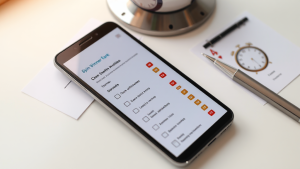
I start with a hard reset of expectations: the problem is almost never “the app is bad.” It is a mismatch somewhere. Here is how I isolate it.
Minute 1-2: Check the device fit. Open your Android settings and note your OS version and available storage. Rummy apps vary a lot in how much space they hold and how recent an Android build they expect. If an app listing does not state a minimum version, treat that as a yellow flag. I have had apps install cleanly and then stutter because the phone was two major versions behind what the build assumed. Clearing a gigabyte of cached photos has rescued more sessions for me than any in-app setting.
Minute 3-4: Test the connection before blaming the table. Switch between Wi-Fi and mobile data and watch whether the lag follows you. If it does, it is the app or the server. If it does not, it was your network. This single test saves me from reinstalling things that were never broken.
Minute 5-7: Open the settings menu you skipped. Sound, animation, and notification toggles matter more than people admit. Heavy animations on a mid-range phone make card movement feel sluggish even when the connection is fine. Turning animation down and disabling background notifications has made several apps feel noticeably faster for me.
Minute 8-10: Match the format to your habit. If you only have short bursts of time, a long-format table will always feel wrong no matter how well it runs. If you like slower thinking, a fast-paced table will feel chaotic. This is a preference problem, not a performance problem, and no amount of troubleshooting fixes it. Pick the format first, then optimise.
Once those four are settled, most of what remains is cosmetic. That is when I start comparing apps properly instead of reacting to whichever one I installed first.
For that comparison stage I lean on directories rather than app store search, because a directory lets me filter by category and read editorial signals side by side. Fast Play Rummy is the one I keep coming back to for Android rummy discovery, mainly because the listings are grouped into curated categories instead of being dumped into one endless scroll. It is a discovery and comparison site, not an operator, so it points you outward rather than hosting play itself. That distinction matters when you are trying to work out which app suits you.
One habit that has served me well: I never judge an app on the first session. I give it three separate sittings on different days. Performance problems that appear once are often just a bad evening on the network. Problems that appear three times are the app.
What I Check Before I Keep Any Rummy App
After the diagnostic, I run a short retention checklist. This is the part most people skip, and it is why their home screen fills up with apps they never open.
Listing clarity. Does the app page tell me plainly what the app is, who runs it, and what the age requirement is? Rummy apps are aimed at adults, and a listing that is vague about that is a listing I move past. Clarity is a proxy for how the operator treats everything else.
Category fit. I sort by the kind of play I want, not by popularity. A well-organised directory lets me narrow to a format and then compare within it. If I have to fight the interface to find what I want, I close the tab.
Comparison signals. I look for anything editorial — notes, groupings, rankings — that tells me a human looked at these apps rather than scraping them. Those signals are imperfect, but they beat a wall of identical icons.
Update history. An app that has not been touched in a long time will eventually break on a newer Android release. I check when it was last updated before I invest any time learning its interface.
Storage and battery behaviour. I watch battery drain over a 20-minute session. Anything that eats more than a few percent on a mid-range phone gets uninstalled, because that pattern only gets worse.
Notification discipline. If an app floods my lock screen in the first day, I either silence it completely or remove it. A card game should not be competing with my messages for attention.
Here is the part that took me longest to learn: the best app for you is rarely the most popular one. It is the one whose format, pace, and interface match how you actually spend twenty minutes. I have kept smaller, quieter apps over bigger ones simply because they opened faster and did not nag me. That is a legitimate reason to choose something.
I also keep a short written note on each app I test — one line about what worked and one about what annoyed me. After a month, that note is worth more than any star rating, because it reflects my habits rather than a crowd’s.
Frequently Asked Questions
Why does a rummy app feel slow even when my internet is fine?
Usually it is animation load or background processes, not bandwidth. Turn down in-app animations, close other apps, and check whether the app has been updated recently. If it still stutters on a stable connection, the build itself may be heavy for your device.
How do I choose between two similar Android rummy apps?
Give each three separate sessions on different days, then compare format fit, load time, battery drain, and how intrusive the notifications are. A directory with curated categories and comparison signals makes this faster because you can line up listings instead of installing blind.
Do I need the newest phone to play comfortably?
No. A mid-range Android device handles most card game apps well if you keep storage free and animations modest. The real constraint is usually available space and an outdated OS version, not raw processing power.
What should make me uninstall an app immediately?
Vague listings, no visible update history, aggressive notification behaviour, or battery drain that shows up in a single short session. Any one of those is enough for me to move on rather than troubleshoot further.
The ten-minute routine is not glamorous, but it works. Fix the fit, the connection, the settings, and the format, then compare properly before you commit. Do that and you stop cycling through apps and start actually enjoying the ones you keep.